
Start with Free,
go Pro with a Microsoft Store subscription
GPT Prompt Tester is free for everyone to start. When you need multi-panel workflows, templates, and advanced history, upgrade to Pro via Microsoft Store.
Prefer a license key for teams/offline/bulk use? Contact us.
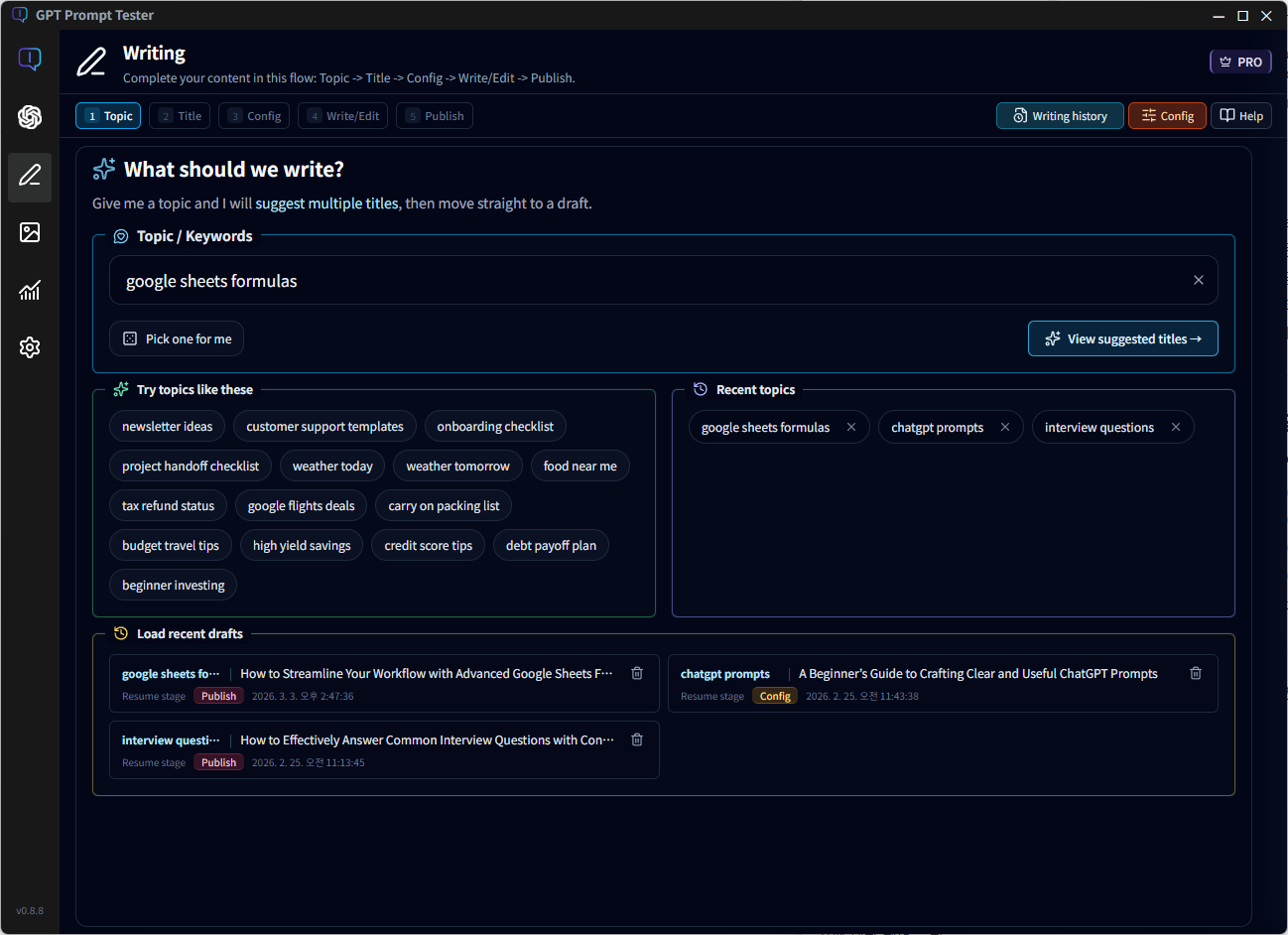
- Basic Playground (single panel)
- Model options · Web Search · Reasoning available (basic)
- Variables system & sample preview (basic)
- Run history: save/delete last 20 runs + restore to a panel
- Basic summary of OpenAI cost/calls/tokens for a selected period
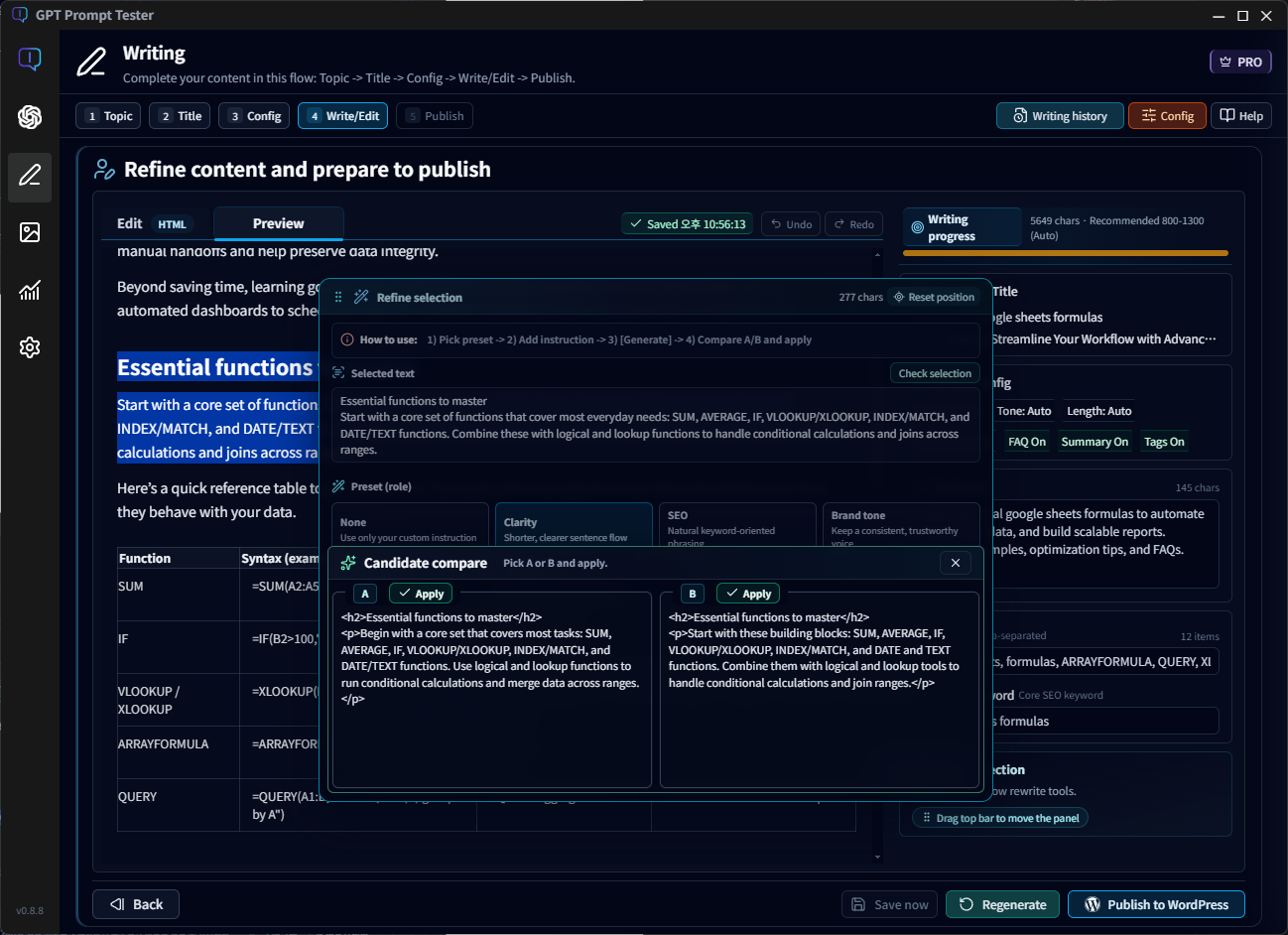
Subscribe via Microsoft Store and unlock Pro instantly in the app. (If you need a license key for offline/bulk environments, contact us.)
- Multi-panel Playground (duplicate up to 10 panels and compare side by side)
- Prompt template management with Project → Template → Version structure
- Run history: up to 200 items + search/filter + file backup/restore
- Restore active panel state and even “new panel creation” state
- OpenAI usage dashboard with Project/Template filters
- Export/import usage data as files
- Includes everything in Free
* Free is enough for many prompt experiments. Upgrade to Pro when you need multi-panel workflows, templates, and a stronger run history + dashboard experience.
Free vs Pro (and Free Trial) — feature comparison
Pro is available via subscription and may include a free trial depending on Microsoft Store availability.
Key features included with Pro
Free is a great way to get started.
When you move into real workflows and production use,
these Pro features significantly boost productivity.
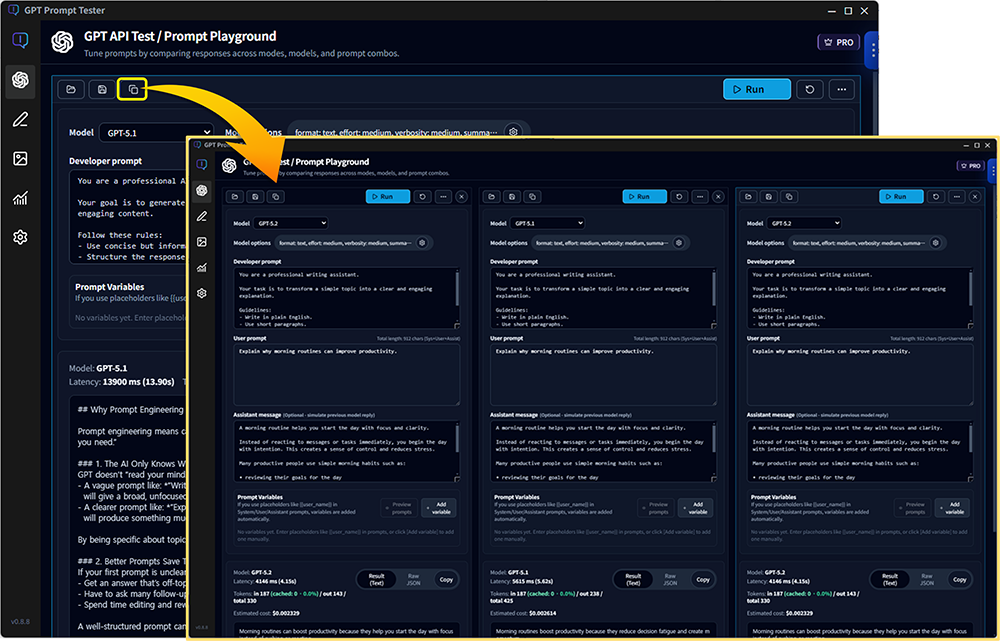
Multi-panel Playground (up to 10 panels)
Free allows only a single panel,
while Pro lets you run up to 10 panels simultaneously in one workspace.
Compare different prompts, models, and option combinations side-by-side
to accelerate experimentation and make better decisions faster.
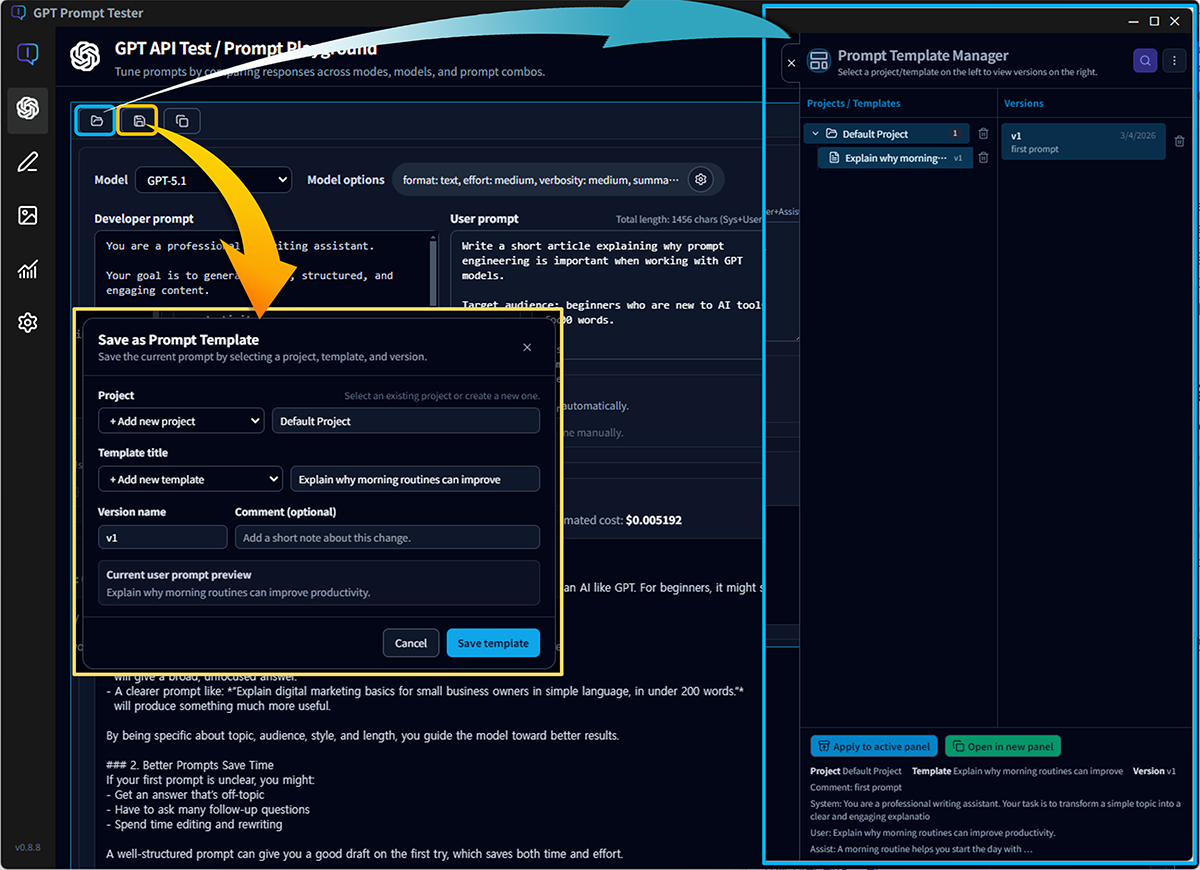
Prompt template management
Pro provides a structured Project → Template → Version system
for managing prompts and their version history.
Keep version notes, search templates easily,
and build a reliable prompt asset library using backup and restore.
This structure works well for both personal workflows and team collaboration.
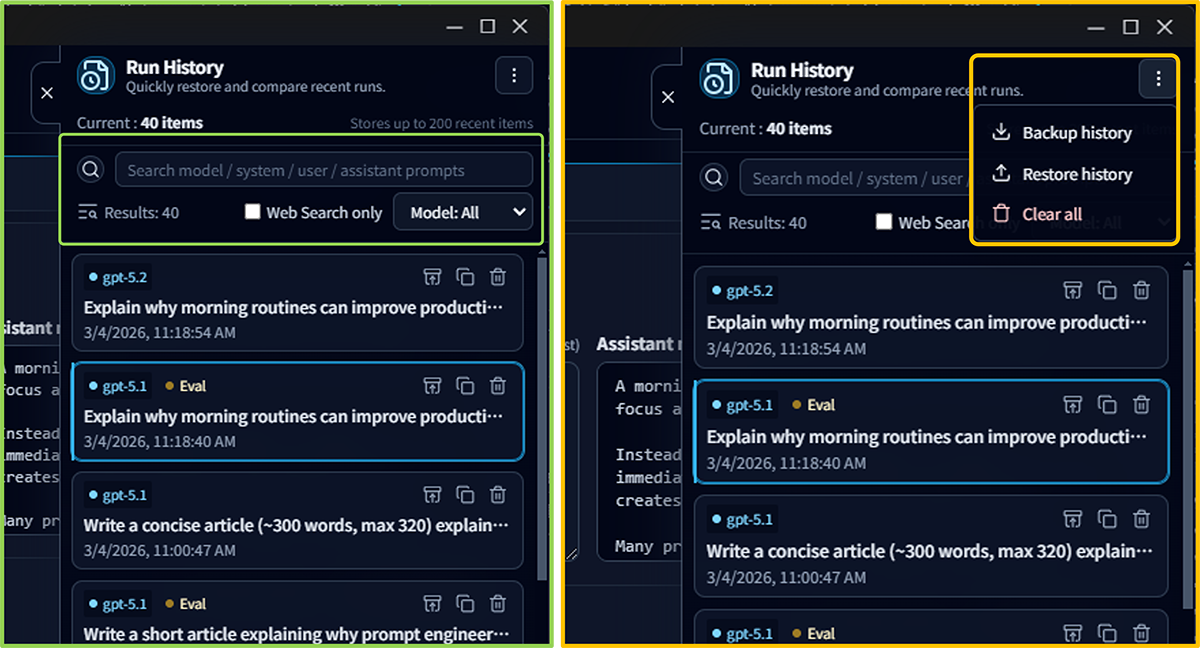
Extended run history
Free stores up to 20 runs, while Pro keeps up to 200 runs.
Use search and filters to quickly find past experiments and continue improving from them.
You can also backup and restore history files,
including not only the outputs but the panel state and new panel configurations.
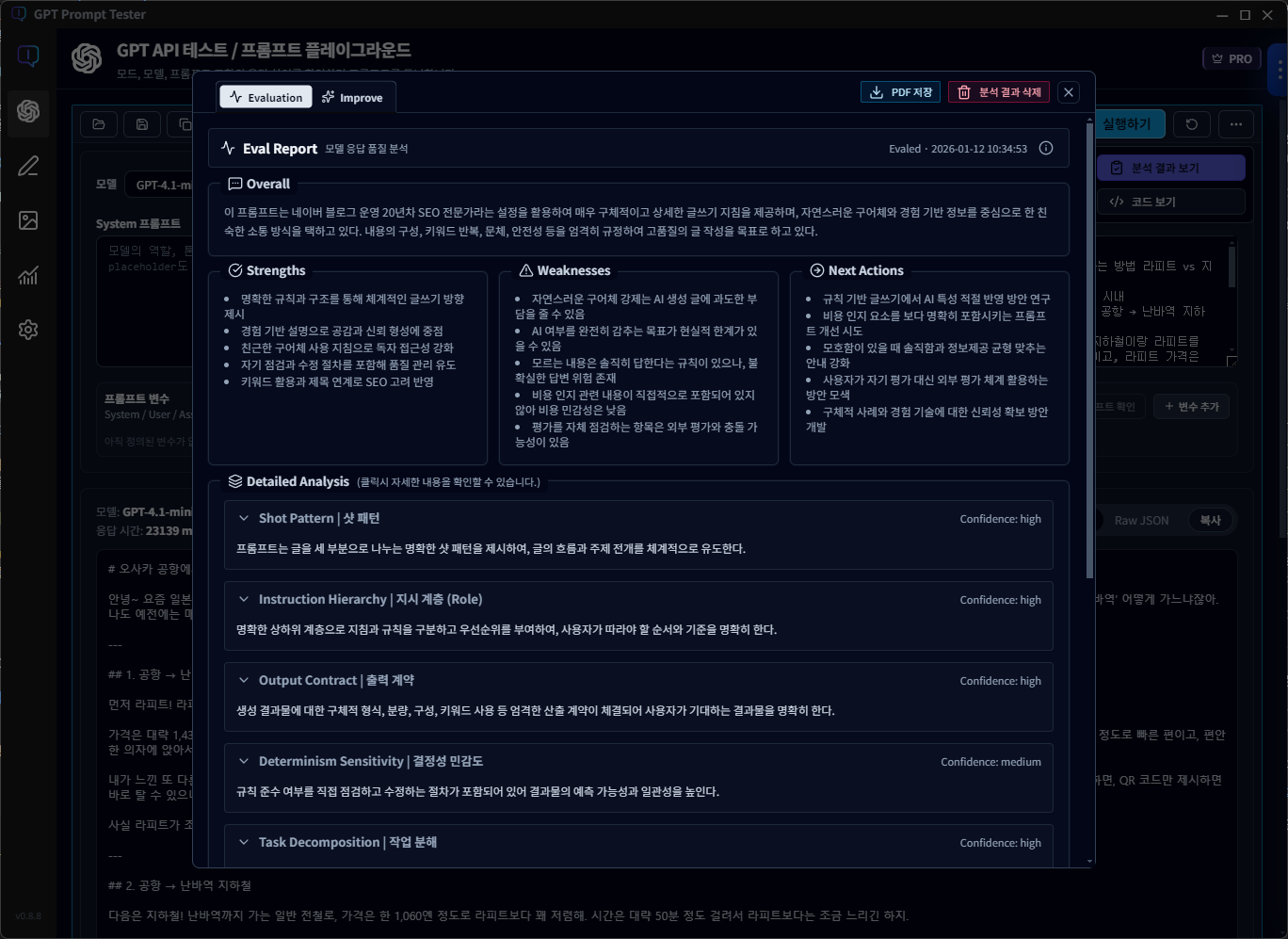
Evaluation / Improve + Eval PDF export
With Pro, Evaluation and Improve create a continuous loop
connecting result analysis with prompt refinement.
You can also export evaluation results as PDF,
making it easy to report, share, and archive experiment results.
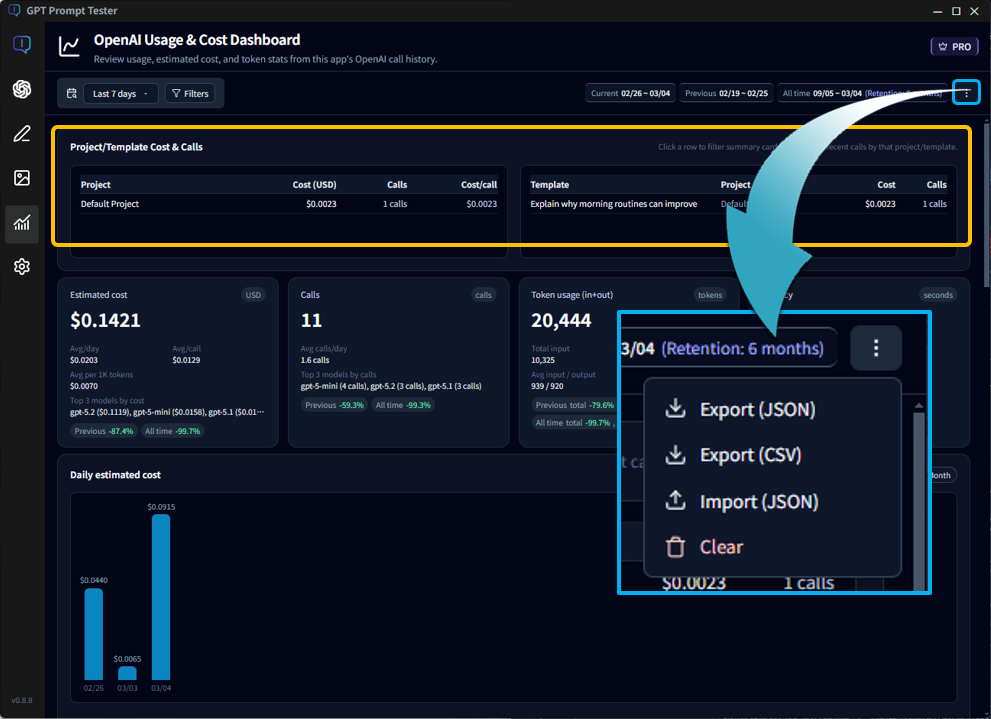
Usage analytics by Project / Template
Pro extends the basic usage overview with project- and template-level analytics.
Filter usage data by Project and Template for deeper insights.
Track cost, response latency, and tool usage at a glance
to maintain quality while optimizing operational costs.
When these features work together,
you get a production-ready prompt workspace:
run parallel experiments, manage versions,
and analyze real usage and costs in one place.
Advanced Writing Studio tools
Pro expands Writing Studio with 100 draft slots,
history search and stage filters,
stage-level prompt configuration history,
and a sentence-level Rewrite feature.
This enables a real writing workflow focused on editing,
refinement, and iteration rather than one-time generation.
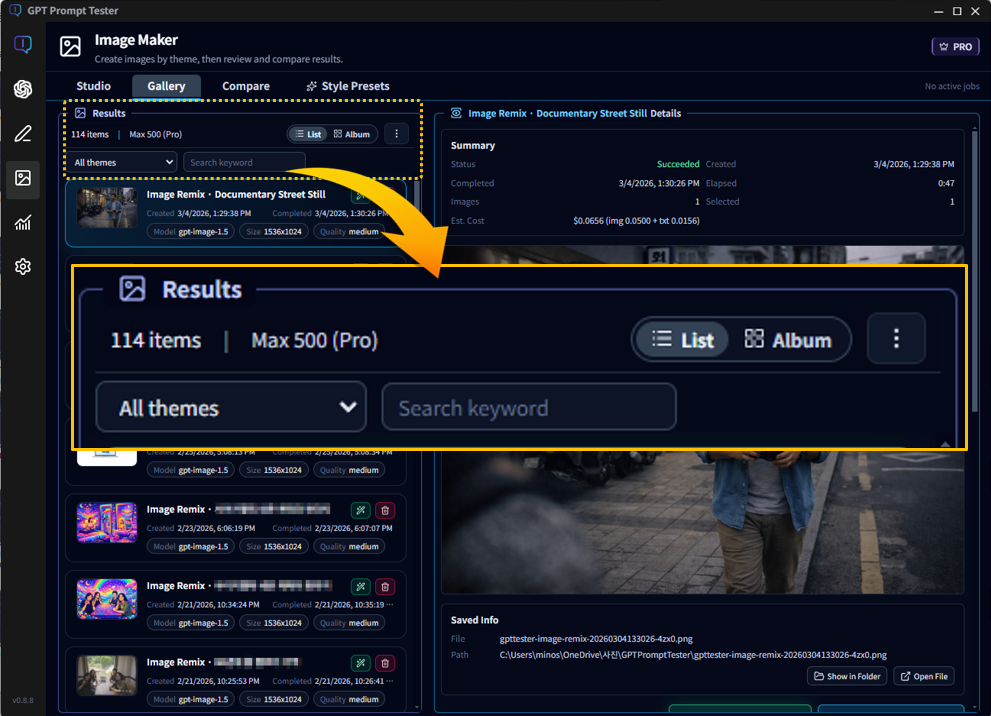
Image Makers extended workspace + Pro style presets
Pro expands Image Makers with
concurrent jobs (5), result storage (500),
theme-level prompt history (30),
and advanced result management tools.
You can also apply Pro style presets directly in generation
to achieve faster experimentation and consistent visual results.
How to subscribe to Pro
Pro is available as a Microsoft Store subscription inside the app. Download the app first, then subscribe from Settings > License Management.
1. Install GPT Prompt Tester from Microsoft Store
Download and install the app from Microsoft Store to get started.
2. Subscribe in the app
In the app, go to Settings > License Management and choose a plan: $3.99/month or $29.99/year.
- Subscriptions are billed and managed by Microsoft Store.
- An internet connection is required to verify subscription status.
3. Pro unlocks instantly
Once your subscription is detected, Pro features are enabled immediately.
Free trial
After installing the app for the first time, you can use all features without limitation during the 2-week free trial period.
Need a license key for teams or special use cases? See License key purchase.
Need a license key instead of a subscription?
For teams, offline environments, bulk purchases, invoicing, or custom terms, we can provide license keys by request.
- Device-based keys (per PC) are available for business use cases.
- Bulk/team pricing and custom quotes are available upon request.
- Please contact us and include the number of PCs and your preferred term.
Contact: Get a license key quote
Refunds & cancellations
Subscription refunds/cancellations follow Microsoft Store policy. License key sales (when provided) follow the applicable digital-goods policy.
- Subscriptions can typically be managed from Microsoft Store (billing, renewal, cancellation).
- If a technical issue prevents normal use, we’ll support troubleshooting and resolution as quickly as possible.
- For license-key purchases, refund eligibility may be limited after a key is issued due to the nature of digital goods.
For details, see the Refund & Cancellation Policy page.
Try GPT Prompt Tester today
Start with Free, then subscribe to Pro when you need more power.
Keep your prompt experiments organized and production-ready in one place.