
Hello,
This is GPT Prompt Tester.
In the v0.8.8 update, we introduced Microsoft Store subscription support, expanded the licensing system, and improved multilingual support and overall user experience across the app.
The main updates are outlined below.
1. Microsoft Store Subscription Support
GPT Prompt Tester now supports Microsoft Store subscriptions alongside the existing license key system.
Available Pro access options
- Microsoft Store Monthly Subscription
- Microsoft Store Yearly Subscription
- License Key Registration (available via separate inquiry)
With Microsoft Store subscriptions now available, users can access Pro features more conveniently.
2. License Management Screen Redesign
With the addition of Microsoft Store subscriptions, the License Management screen has been redesigned to make subscription and license options clearer and easier to navigate.
New plan selection structure
In the License Management screen, you can choose from the following options:
- Microsoft Store Monthly Subscription
- Microsoft Store Yearly Subscription
- License Key Registration
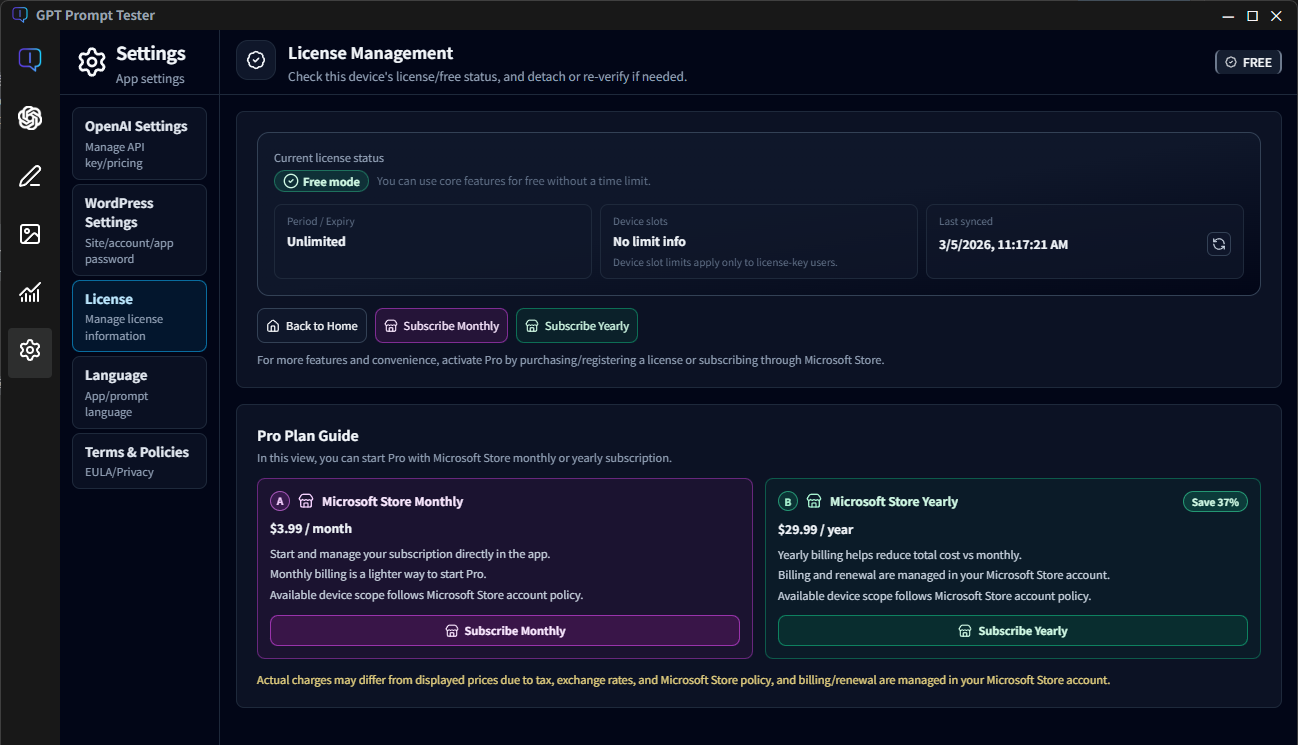
Several UI elements were also improved to provide a more intuitive and convenient experience.
Please note that subscription prices displayed in the app may vary depending on your Microsoft Store account region and settings.
3. Home License Section Improvements
The license information section on the Home screen has been simplified and improved.
Home License Section
- Simplified layout for easier license status checking
- Clicking the license section on the Home screen now takes you directly to:
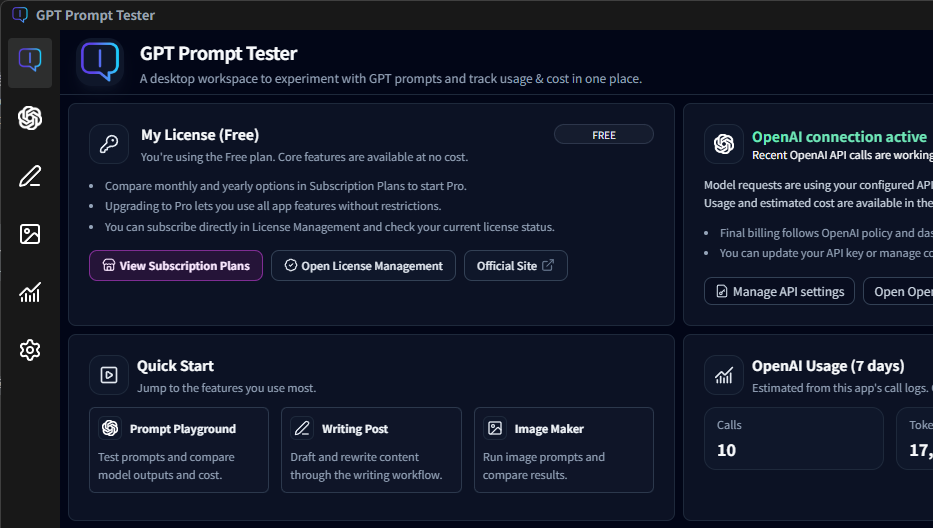
This provides a smoother and more intuitive navigation flow.
🌍 App Language – English Support
This update introduces app language settings, allowing users to use GPT Prompt Tester in English.
You can change the app language through:
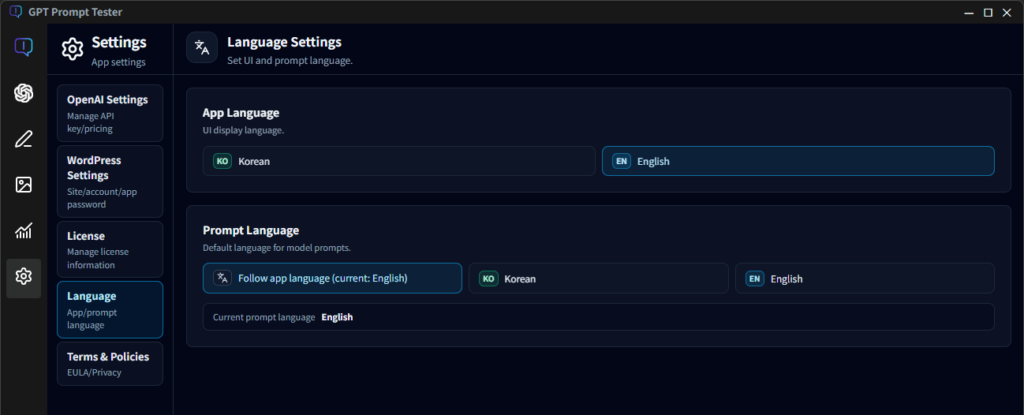
This enables a more natural experience for users in English environments.
Prompt Language Setting
A new feature allows users to set the language used for prompt generation separately from the app language.
Available options
- Follow App Language
- Korean
- English
This helps maintain consistent prompt language usage in features such as:
- Writing
- Playground
- Evaluation
⚙ Feature Improvements
Prompt Playground
- Improved guidance when API Key is not configured
- UI improvements for History, Templates, and Options
- Expanded multilingual support
Evaluation
- Added option to select items included when exporting Eval results as PDF
- Improved language consistency for Eval / Improve prompts
Writing
- Integrated with the new prompt language policy
- Improved empty-state guidance messages
Image Makers
- Expanded multilingual support for Style Preset UI
- Fixed language-switch caching artifacts
- Improved Pro preset badge display and comparison UI
OpenAI Usage Dashboard
- Improved terminology consistency
- Refined display formats across the dashboard
ℹ Notes
- Microsoft Store pricing may vary depending on account region and applicable taxes.
- After subscribing, the Pro status may not be applied instantly due to network conditions.
- If this happens, please restart the app after a short time or verify your Microsoft Store subscription status.
- Some buttons in the License Management screen may appear differently depending on language, platform, or subscription status.
📌 Summary
The core focus of v0.8.8 includes:
- Microsoft Store subscription support and stabilization
- Improved license management UX
- Expanded multilingual support across the app
- Feature improvements for Playground, Writing, Image Makers, Usage Dashboard, and Evaluation
We will continue working to make GPT Prompt Tester a more stable and powerful prompt experimentation environment.
Thank you for using GPT Prompt Tester.


