
Hello,
GPT Prompt Tester has been updated to v0.7.0.
This update introduces a new feature that makes the core purpose of GPT Prompt Tester — testing and validating prompts — much closer to real-world usage.
Testing Prompts in Real Usage Scenarios
Prompts are ultimately meant to be used in real tasks and real outputs.
They are not just examples.
When testing prompts, what matters is not whether they look convincing, but:
- Whether they work in real situations
- How results change when settings are adjusted
- How much cost and time are required to produce those results
GPT Prompt Tester v0.7.0 focuses on making these aspects visible and testable.
Writing Feature for Real-World Prompt Testing
The new Writing feature added in v0.7.0 is not simply a tool for writing content easily.
Instead, it recreates one of the most common real-world scenarios where prompts are used: content creation.
The workflow follows a structured Post Wizard process:
Topic → Title → Settings → Writing / Editing → Publishing
Key capabilities include:
- Real-time writing with GPT streaming
- Instant edit / preview switching after generation
- Step-by-step workflow designed for experimentation
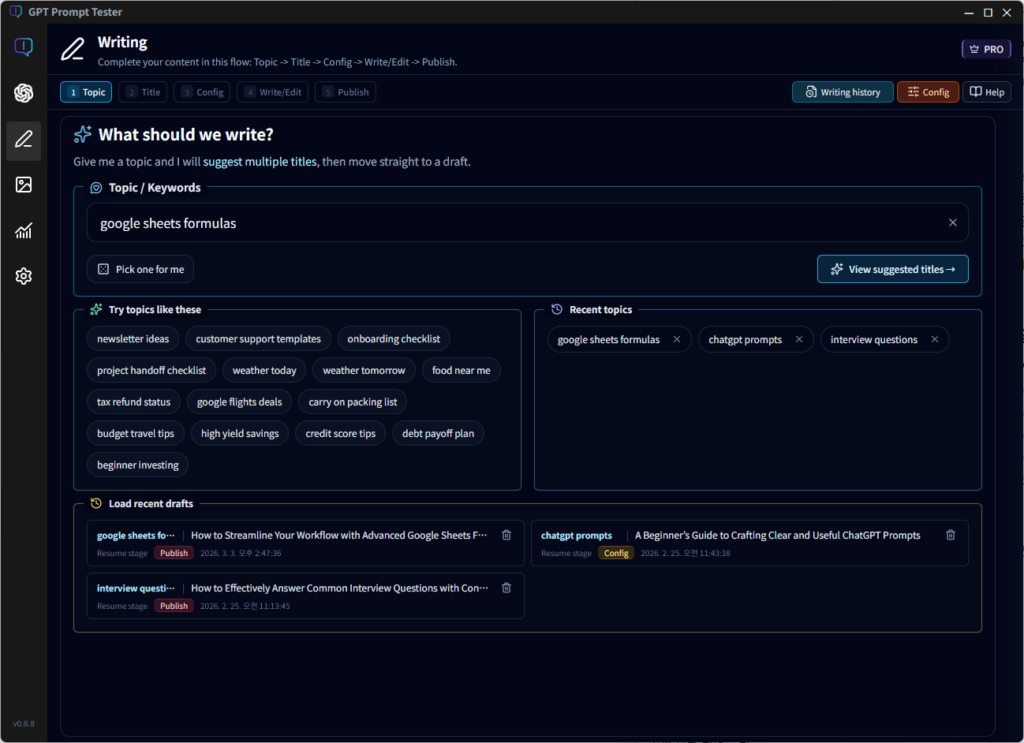
Within this flow, users can adjust prompts, models, and options and directly observe how the results change.
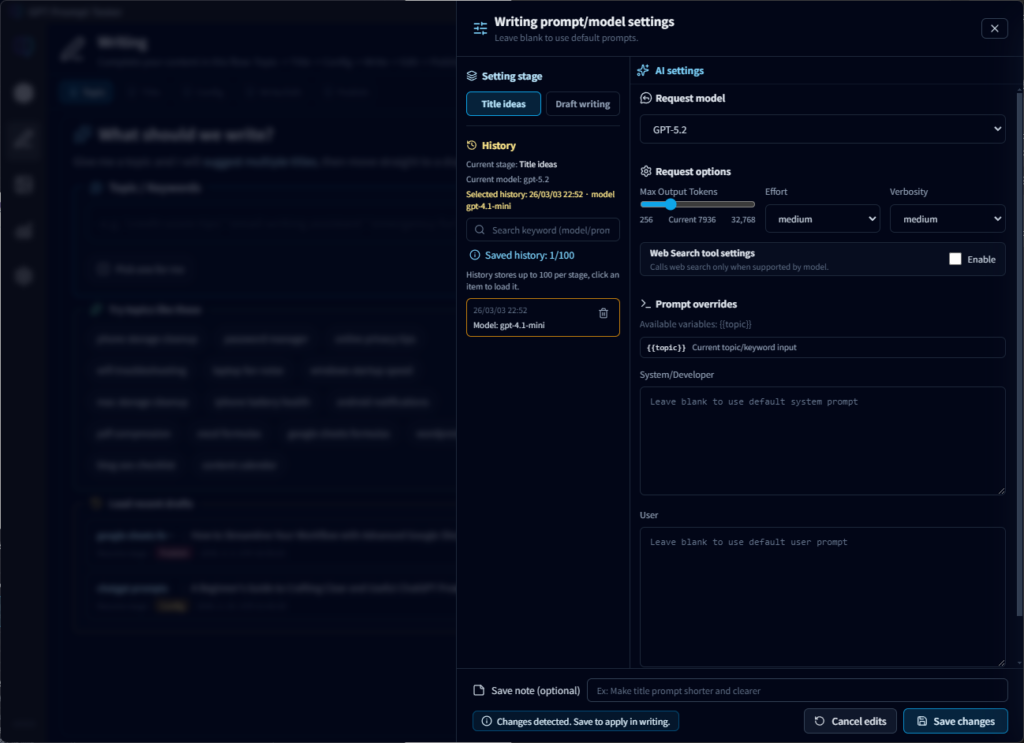
Prompts and Models Are Not Hidden
The writing feature in GPT Prompt Tester is not a black-box automation tool.
Instead, it is designed to expose the prompt and model configuration clearly.
Features include:
- Separate prompts for title recommendation and draft generation
- Direct control over model, max tokens, temperature, and other parameters
- Support for base prompts + user overrides
This allows users to clearly see how different prompt settings affect the final output — even for the same topic.
Results Connect Directly to Real Publishing
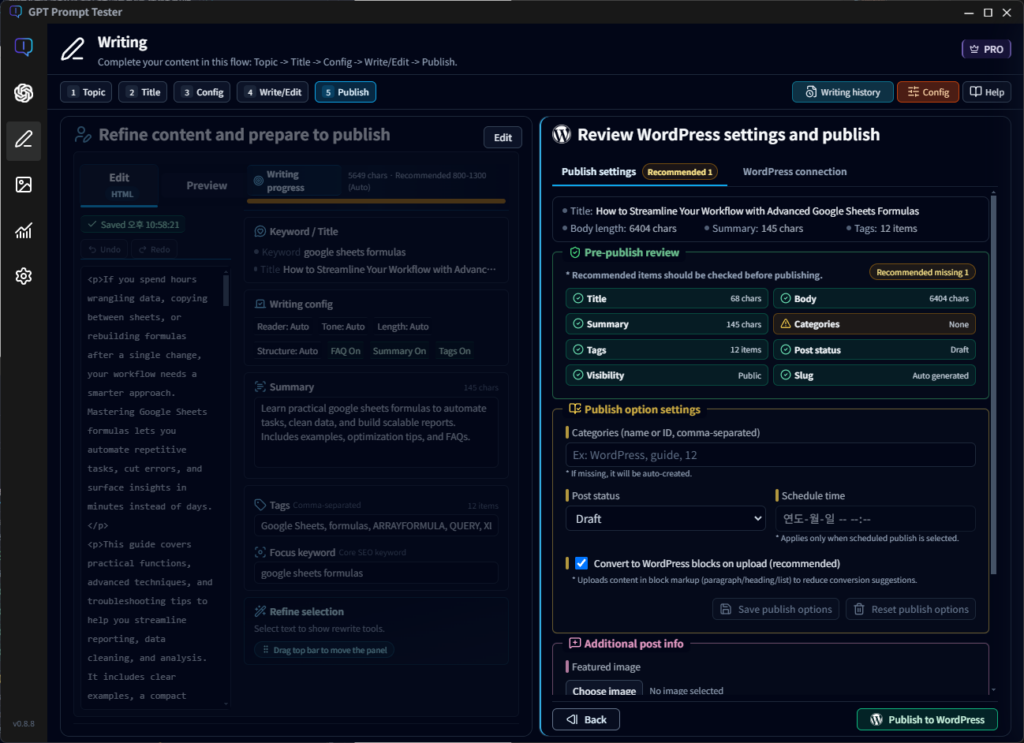
Generated results do not end within the testing interface.
They can be directly connected to a real publishing environment.
Supported features include:
- WordPress connection via Application Password
- Automatic detection of HTML or plain text
- Optional upload as Gutenberg blocks
- Choose between draft or published status
This ensures that prompt testing can flow directly into real-world usage.
Track Cost and Usage Alongside Results
One of the most important goals of this update is understanding:
“What does it cost to produce this result?”
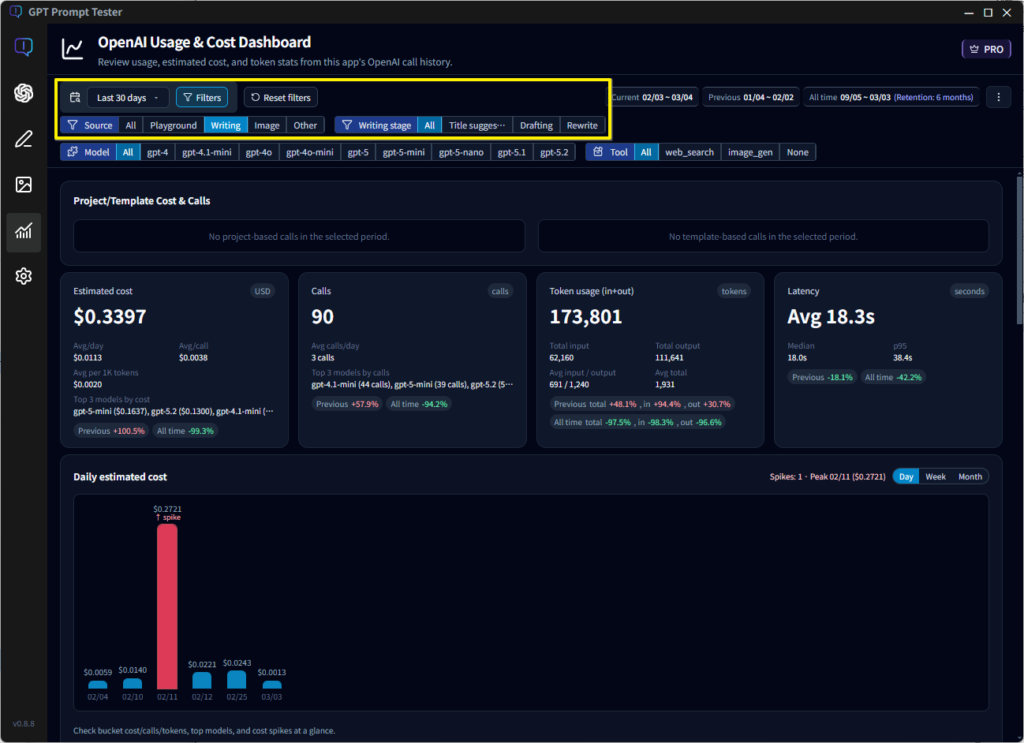
Starting with v0.7.0, API calls used in the writing feature can be analyzed through the Usage Dashboard.
Available insights include:
- Filtering by feature (Writing)
- Analysis by step (Title / Draft generation)
- Model used
- Token usage
- Latency
- Estimated cost
Prompts are no longer evaluated only by their results.
They can now be evaluated based on cost, performance, and efficiency as well.
Looking Ahead
The writing feature introduced in v0.7.0 is the first example of the direction GPT Prompt Tester aims to pursue.
Future features will not be added simply to increase functionality, but to create realistic environments where prompts can be tested in practice.
GPT Prompt Tester is not a tool for simply creating prompts and feeling satisfied with them.
It is designed to help users:
- Test prompts in real scenarios
- Compare results
- Evaluate cost and performance
- Decide whether a prompt is truly ready for use
With the v0.7.0 update, we hope this direction has become clearer.
Thank you, as always, for using GPT Prompt Tester.
— GPT Prompt Tester