
Hello,
GPT Prompt Tester has been updated to v0.7.1.
The writing workflow has become smarter.
This update focuses on making three things clearer:
👉 Rewrite, Settings Comparison, and Cost Tracking.
You can now naturally return to the exact point where you stopped writing, and reproduce the same model and prompt settings used previously.
✍️ 1. Writing – Improved “Load Recent Draft” Feature
You can now resume previous drafts with full context.
What’s new?
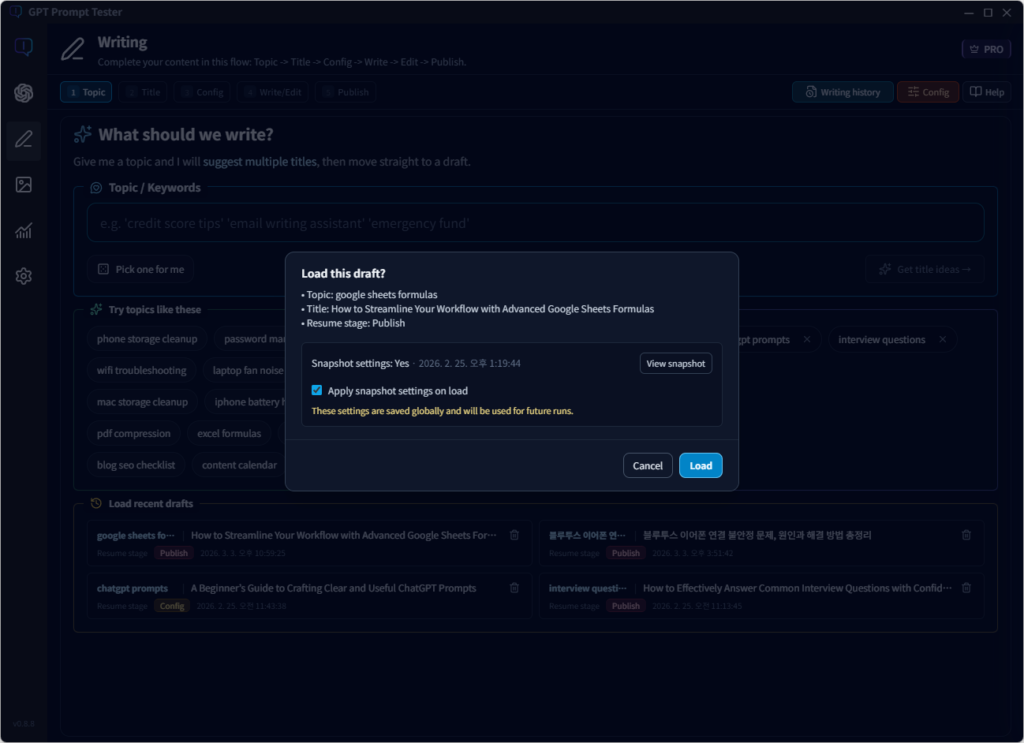
When selecting a draft from the Recent Drafts list:
- A modal now shows topic, title, and resume step at a glance
- Added option: “Apply original settings when loading”
This allows:
- The same model and options used when the draft was created to be applied automatically
- When enabled, those settings are saved as the current global configuration
Why this is useful
- No need to wonder: “Which settings created this draft?”
- Both the content and generation environment can be restored like a work snapshot
Writing now restores both the previous content and the GPT settings used at that time.
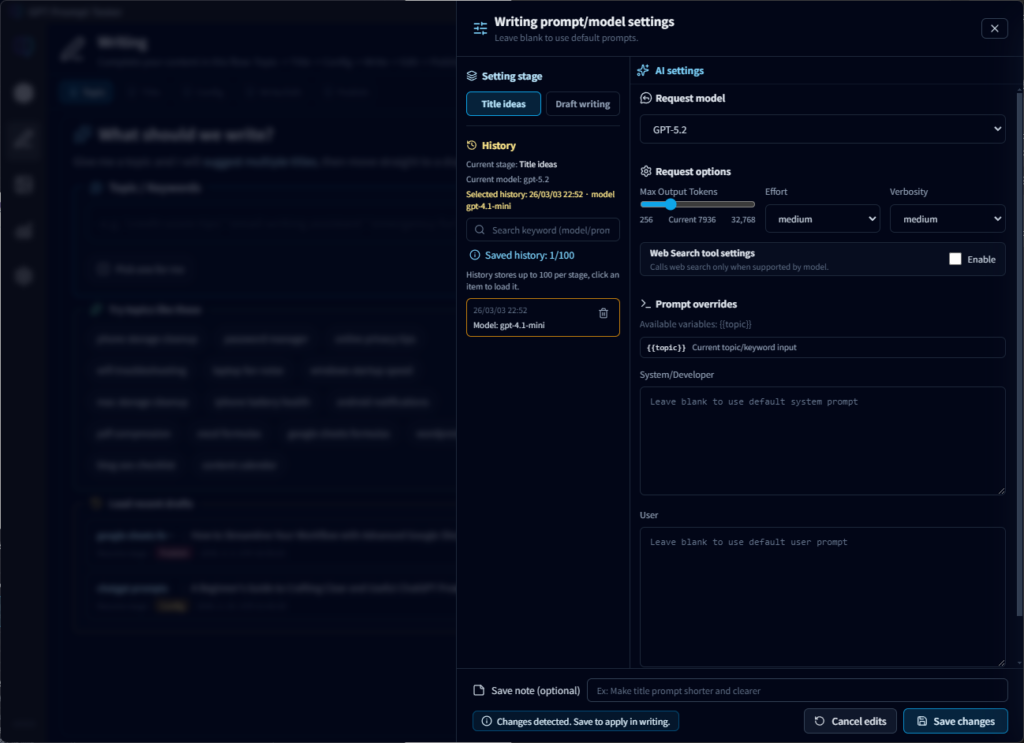
⚙️ 2. Writing Settings – History Feature Added
Settings can now be saved and reused.
Key features
- History management for settings used in title generation and draft writing
- The model (gpt-4.1-mini, gpt-5-mini, gpt-4o-mini, etc.) and options are recorded together
When selecting a history item:
- The previously used options (JSON) can be previewed exactly as they were
- The configuration can be reapplied with one click
Settings loaded from history appear in preview mode.
To apply them to writing, you must click [Save].
You can now easily review and restore previous writing configurations.
Especially useful for users who
- Want to compare results between models
- Often think: “That setting worked well before…”
- Want to keep a record of prompt experiments
📊 3. OpenAI Usage Dashboard – Enhanced Call List Information
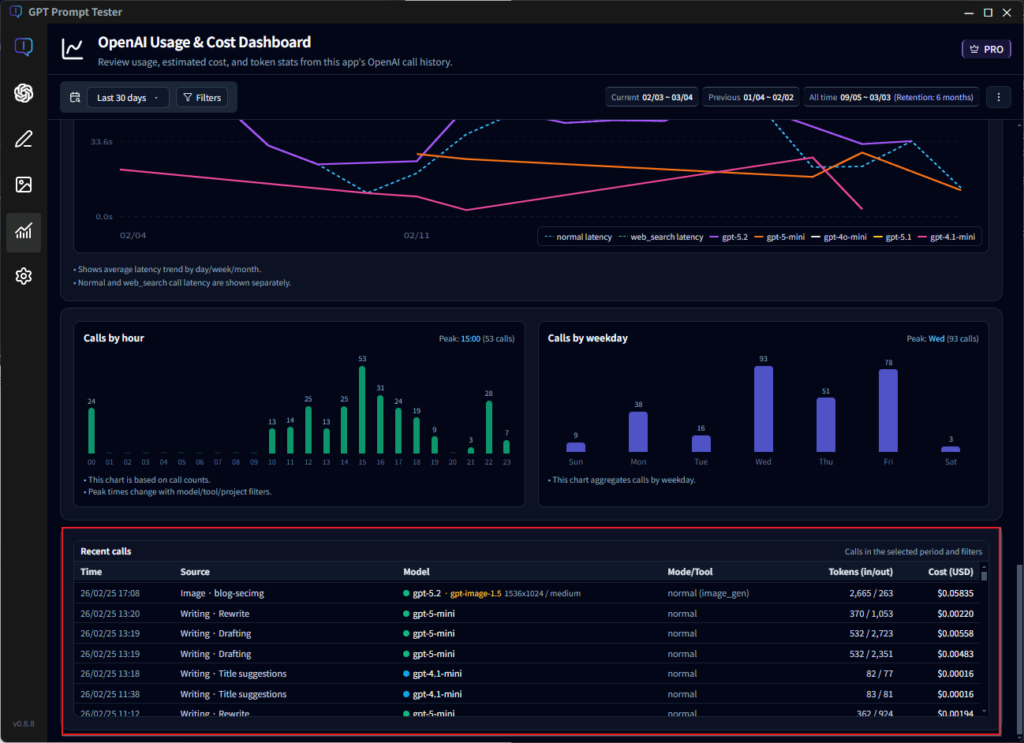
Cost tracking and request history are now clearer.
Improvements
- The call list now shows the feature name
(e.g., Title Recommendation / Draft Writing) - Improved readability for:
- Model
- Token usage (input/output)
- Cost (USD)
- Year added to timestamps, making long-term logs easier to understand
Now you can see not just how much you spent, but also
👉 which features are generating the cost.
🔍 v0.7.1 Update Summary
- Improved UX for loading recent drafts (including restoring settings)
- Added writing settings history feature
- Easier model and option comparison through settings preview
- Enhanced OpenAI usage dashboard call list information
GPT Prompt Tester is designed not just as a writing tool, but as a workspace for experimenting with prompts and tracking results.
If you try the new version and have feedback—or features you’d really like to see—please let us know anytime 🙌
We’ll continue improving and incorporating your ideas into future updates.
Thank you.